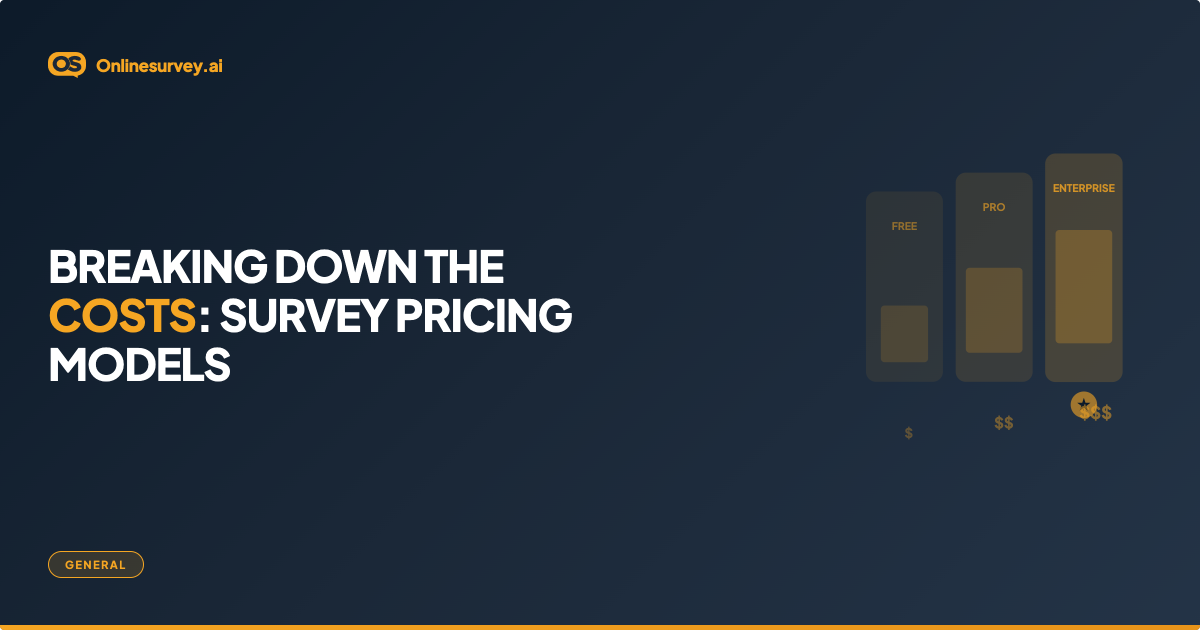
Survey software pricing in 2026 ranges from genuinely free (Google Forms, basic tiers of most platforms) to over $50,000 per year for enterprise Qualtrics contracts. Most small business and mid-market teams pay between $25 and $99 per month for a fully-featured paid plan. The wide range exists because platforms price on different variables: response volume, number of users, feature tier, AI capabilities, and compliance requirements. Understanding which variable drives cost on each platform prevents expensive surprises mid-contract.
Survey Software Pricing Comparison: 8 Platforms at a Glance
| Platform | Free Plan | Entry Paid Plan | Mid-tier | Enterprise |
|---|---|---|---|---|
| onlinesurvey.ai | Yes — 5 surveys, 500 resp/mo, 50 AI credits | Paid — unlimited surveys, 5,000 resp/mo, 200 AI credits, AI insights | — | Custom — unlimited, SSO, DPA, dedicated CSM |
| SurveyMonkey | Yes — 10 questions, 25 resp/survey | ~$25/mo (Basic) | ~$75/mo (Advantage) | Custom (Enterprise) |
| Typeform | Yes — 10 questions, 10 resp/mo | ~$25/mo (Basic) | ~$50/mo (Plus) | Custom (Business+) |
| Google Forms | Free — unlimited surveys, unlimited responses | Free | Free | Workspace Business from ~$12/user/mo |
| Qualtrics | No | Custom only (~$1,500+/year) | Custom | Custom (~$5,000–$50,000+/year) |
| Jotform | Yes — 5 forms, 100 resp/mo | ~$34/mo (Bronze) | ~$39/mo (Silver) | ~$99/mo (Gold) |
| Microsoft Forms | Yes — included with M365 | Included in M365 Business (~$12.50/user/mo) | Included | M365 E3/E5 |
| SurveySparrow | Yes — limited | ~$19/mo (Basic) | ~$49/mo (Starter) | Custom (Enterprise) |
All prices are approximate and change frequently. Always verify on the platform's current pricing page before purchasing. Annual billing typically saves 20–40% over monthly.
The 7 Survey Software Pricing Models Explained
Understanding which model a platform uses helps you calculate your actual annual cost — not just the advertised monthly rate.
1. Freemium
A free tier gives access to basic features with hard limits on responses, questions, or surveys. Upgrades unlock more capacity. Best for: Teams wanting to evaluate a platform risk-free or run occasional simple surveys.
Watch for: Response caps that hit faster than expected (SurveyMonkey's 25 responses per survey limit makes it impractical for real business use on the free plan).
2. Subscription (Tier-Based)
A fixed monthly or annual fee unlocks a defined set of features. Most platforms use this model. Tiers are named Basic, Pro, Business, or Enterprise. Higher tiers add analytics depth, integrations, user seats, and AI features.
Best for: Teams with predictable, ongoing survey needs.
Watch for: Features locked at each tier. A platform may list "CRM integration" but only unlock it at the Business tier — three tiers above entry.
3. Response-Based
You pay per response collected, either on a pay-as-you-go basis or as a monthly/annual allowance that resets. Some platforms combine this with tier-based pricing (you pay a base subscription and get a response allowance).
Best for: Teams with unpredictable or seasonal survey volume.
Watch for: Overage fees. If a survey goes viral or gets shared widely, response costs can spike sharply beyond your plan's included allowance.
4. Per-User (Seat-Based)
Each team member who needs platform access requires a paid seat. Common in enterprise platforms and CRM-adjacent tools. Total cost = seat price × number of users.
Best for: Large teams where survey creation and analysis is distributed across departments.
Watch for: Seat pricing becomes expensive quickly. A 10-person team at $15/seat/month is $1,800/year before any usage caps are factored in.
5. Feature-Based (Capability Tiers)
Pricing gates specific features behind higher tiers, regardless of response volume or users. Common features locked at entry level: AI analysis, white-labelling, custom domains, advanced logic, API access.
Best for: Teams that only need basic functionality.
Watch for: The feature you need is almost always one tier above where you start. Map required features to plan tiers before committing.
6. Enterprise Custom Pricing
Large organizations negotiate custom contracts that bundle unlimited responses, dedicated support, compliance certifications, custom integrations, and SLAs. Pricing is not published and requires a sales conversation.
Best for: Organizations with complex compliance requirements, large response volumes, or multi-department deployments.
Watch for: Long contract terms (typically 1–3 years), limited flexibility to scale down, and implementation costs not included in the headline price.
7. Pay-As-You-Go
No subscription — you buy response credits or surveys in blocks as needed. Ideal for occasional research projects.
Best for: Teams that run one or two surveys per year and cannot justify a monthly subscription.
Watch for: Per-unit costs are usually higher than equivalent subscription pricing. A subscription makes more economic sense once you run more than 3–4 surveys per year.
What Drives Survey Software Pricing Up
| Factor | Low-Cost Signals | High-Cost Signals |
|---|---|---|
| Response volume | Under 1,000/month | 10,000+ responses/month |
| AI capabilities | None or basic autocomplete | AI-generated insights, sentiment, narrative reports |
| Analytics depth | Bar charts, response counts | Cross-tabulation, trend analysis, statistical testing |
| Team size | 1–2 users | 10+ users with role-based permissions |
| Integrations | Zapier only | Native HubSpot, Salesforce, Marketo |
| Compliance | Basic | GDPR DPA, SOC 2, HIPAA BAA, data residency |
| Support | Email or community | Dedicated CSM, SLA, phone support |
| White-labelling | Platform branding visible | Full custom branding, custom domain |
Hidden Costs in Survey Software Pricing
The advertised monthly price is rarely the total cost. These are the most common budget surprises:
Overage response fees. Platforms with response caps charge per additional response beyond your plan's allowance. Rates vary from $0.01 to $0.50 per response — a survey that goes wide can add $200–$500 to a monthly bill.
Data export restrictions. Some platforms lock CSV, Excel, or SPSS exports behind paid tiers. If you need raw data for analysis in another tool, check what export formats are available on your target plan.
CRM integration costs. Native CRM integrations are often mid-tier or enterprise features. If you're on an entry plan and need HubSpot sync, the real cost is the upgrade to the next tier — which may double your monthly fee.
Additional user seats. Many plans include 1–3 user seats. Adding more triggers per-seat charges. For teams of 5+, calculate the full per-seat cost at realistic team size, not the solo-user advertised price.
Onboarding and implementation. Enterprise platforms frequently charge for implementation, training, or dedicated onboarding — costs not included in the subscription price. Ask explicitly what is and is not included before signing.
Annual commitment penalties. Monthly billing is typically 20–40% more expensive than annual billing. But annual contracts are harder to exit if your needs change — factor in commitment flexibility alongside the discount.
API call limits. Some platforms meter API usage. If you are building integrations or pulling data into a warehouse, check whether API calls are included or charged separately.
Which Pricing Model Is Right for Your Team?
| Team Profile | Recommended Model | Best Platform Fit |
|---|---|---|
| Solo researcher, occasional surveys | Freemium or pay-as-you-go | Google Forms or onlinesurvey.ai Basic |
| Small team (2–5 people), regular surveys | Tier-based subscription | onlinesurvey.ai Pro, SurveySparrow |
| Mid-market marketing team | Tier-based subscription | SurveyMonkey Advantage, onlinesurvey.ai Pro |
| Agency running client surveys | Tier-based with white-label | Jotform, onlinesurvey.ai Enterprise |
| HR team running employee surveys | Tier-based, anonymity controls | onlinesurvey.ai, SurveyMonkey Team |
| Customer success (NPS at scale) | Subscription + CRM integration | onlinesurvey.ai, SurveyMonkey Enterprise |
| Academic / research institution | Enterprise custom | Qualtrics |
| Healthcare / HIPAA required | Enterprise custom with BAA | Qualtrics, SurveyMonkey Enterprise |
| Microsoft 365 team, simple surveys | Included in existing licence | Microsoft Forms |
| Budget-constrained startup | Freemium | Google Forms or onlinesurvey.ai Basic |
How to Calculate Your True Annual Survey Software Cost
Step 1 — Estimate your monthly response volume. Count active surveys × average expected responses per survey per month. Add 30% buffer for seasonal spikes. This is your minimum plan requirement.
Step 2 — List every feature you need. Be specific: AI insights, CRM integration, white-labelling, GDPR DPA, custom domain, API access. Locate each on each platform's feature comparison table and identify which tier it requires.
Step 3 — Count required user seats. Who needs create access? Who needs view-only access? Some platforms charge for both; some only for creators. Get the real seat count before comparing plans.
Step 4 — Calculate annual cost at the required tier. Use annual billing price × 12, not monthly price × 12. Include seat pricing if seat-based. Add estimated overage cost based on your volume estimate from Step 1.
Step 5 — Add hidden costs. Add: implementation fee (if enterprise), Zapier or automation subscription (if needed for integrations), API overages (if applicable), annual uplift/renewal increase (typically 5–15% per year for enterprise contracts).
Step 6 — Compare total cost against value of insight. Survey software cost should be weighed against the cost of not having the insight. A $100/month tool that prevents one customer churn event worth $5,000 ARR pays for itself in days.
How AI Changes the Survey Software Pricing Equation
Traditional survey tools price on inputs: response volume, user seats, and feature tiers. AI-native platforms are beginning to shift pricing toward outputs: the quality and depth of insight generated.
This matters for budgeting because:
AI reduces analyst time. A platform that produces a narrative insight report automatically replaces 2–4 hours of manual analysis per survey. At $75/hour analyst cost, 20 surveys/year makes a $30/month AI subscription cost-neutral.
AI improves survey quality. Platforms that use AI to design surveys (from stated goals, not manually written questions) produce higher-quality data — reducing the cost of follow-up research needed when a survey yields ambiguous results.
AI changes the ROI calculation. When comparing a $25/month basic tool with manual analysis vs. a $50/month AI-native tool with automated insights, the relevant comparison is total research programme cost, not monthly subscription price.
onlinesurvey.ai is priced as an AI-native platform — AI survey creation and AI-generated narrative insights are included in the Pro plan, not locked behind an enterprise add-on.